Run every service call from your phone.
OnFields turns a dispatcher’s text into a job in seconds, keeps your day in order, measures and prices on site, and hands the customer a signed report — with your trade’s workflow built in.
Installs from the browser on iPhone and Android.
Your workflow, not someone else’s
Locksmith work, security screens, garage doors, handyman jobs — or any other hands-on trade. Statuses, rules and job card fields are set up for the way you work.
Locksmith
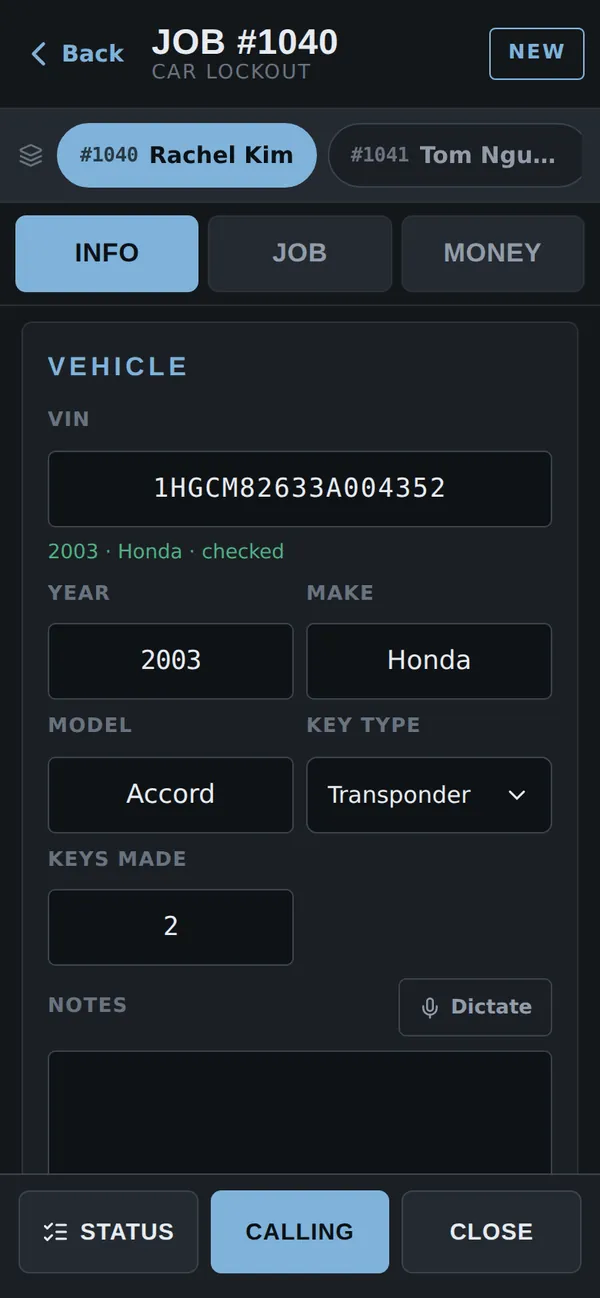
- Car lockouts, rekeys and smart locks parsed straight from the dispatcher’s text
- VIN checked as you type — year and make filled in for you
- ID checklist before a job can be closed, when you want one
Security screens
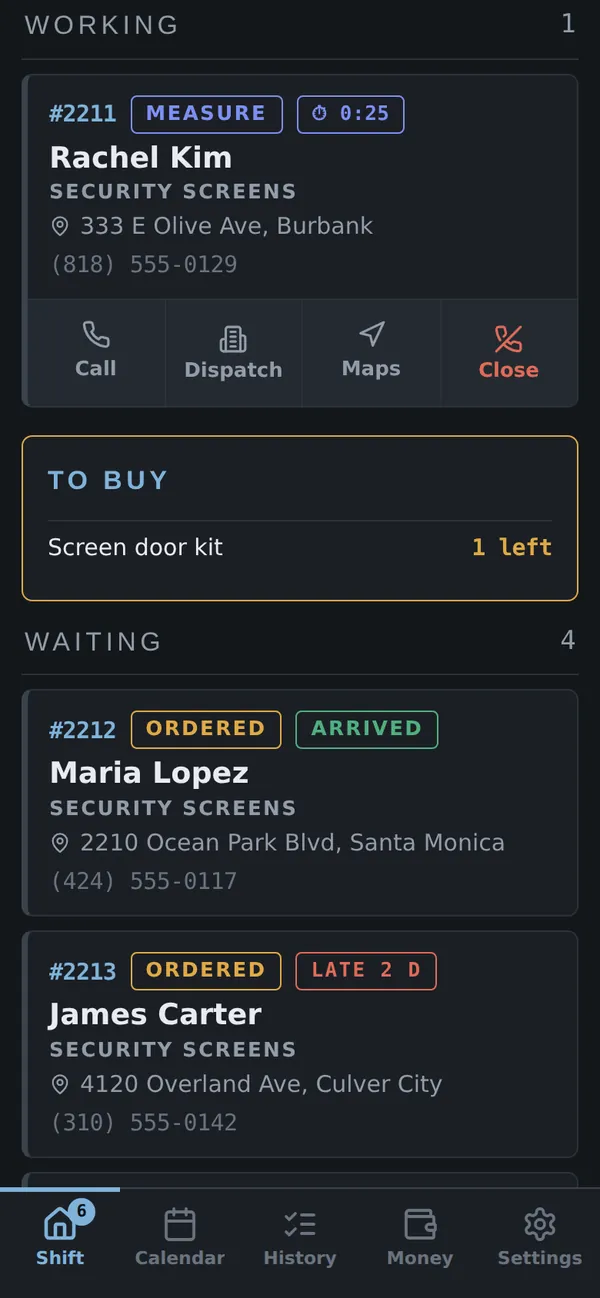
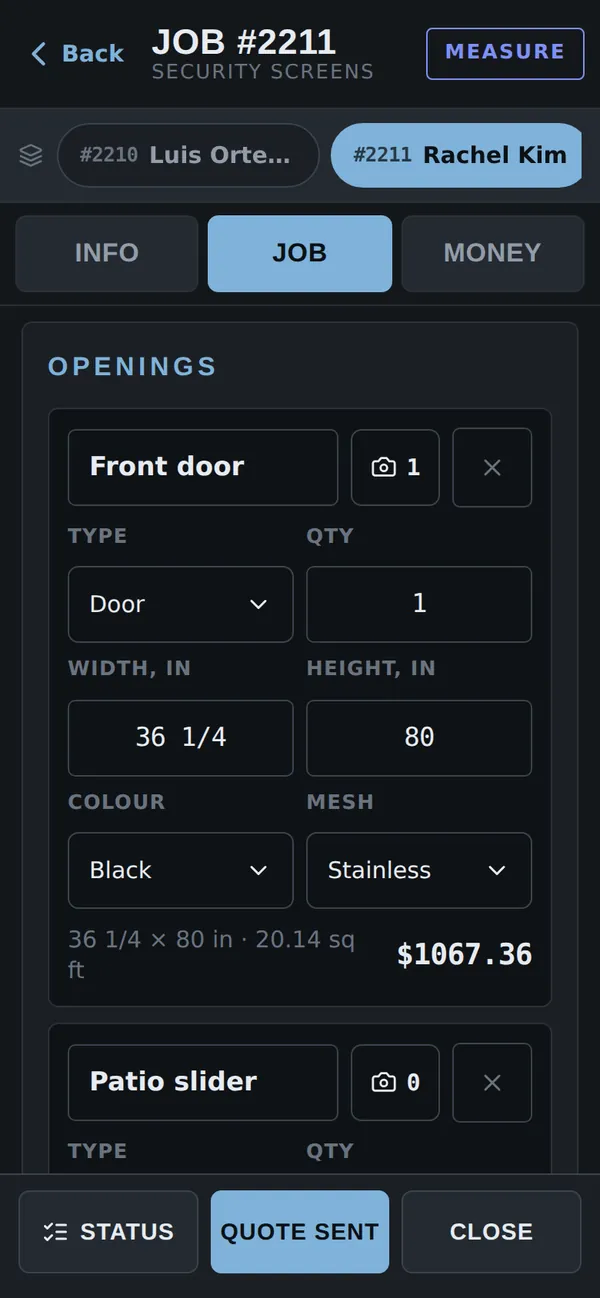
- Measure doors, windows and sliders in inches with fractions — price per sq ft is worked out
- Deposit required before the order goes to the supplier
- Every order shows its delivery date — arrived, late or on time
Garage doors
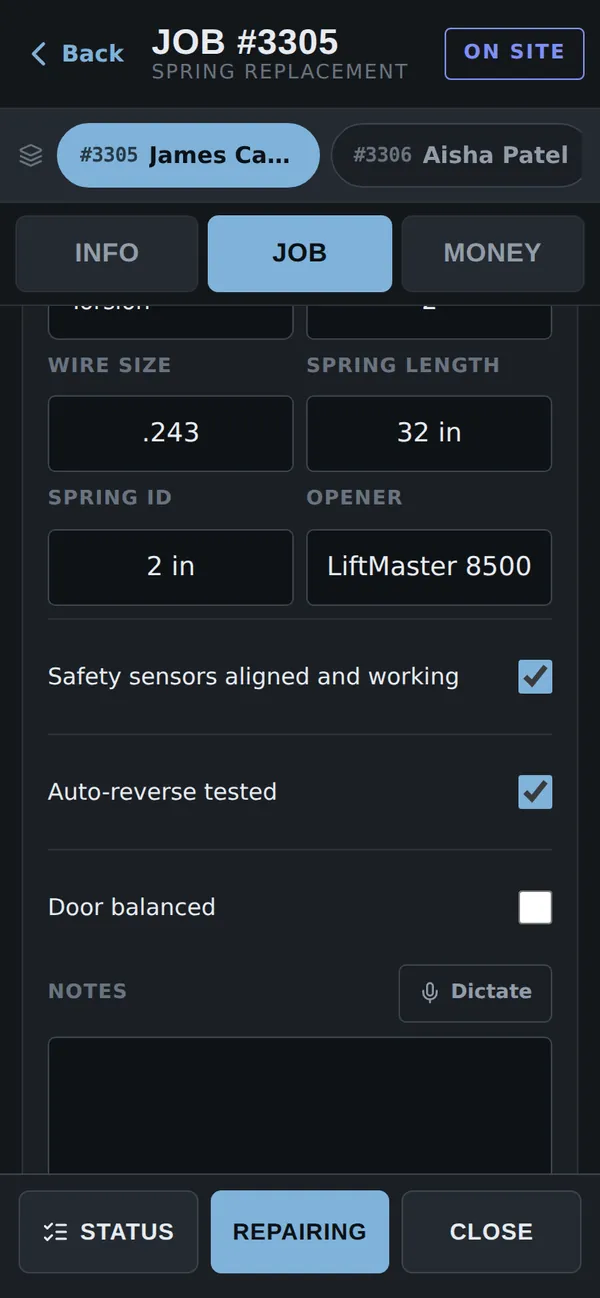
- Door size, springs, wire, length and opener on the job card
- Safety sensors, auto-reverse and balance checked off on site
- Jobs waiting on parts stay in view until the parts arrive
Handyman & more
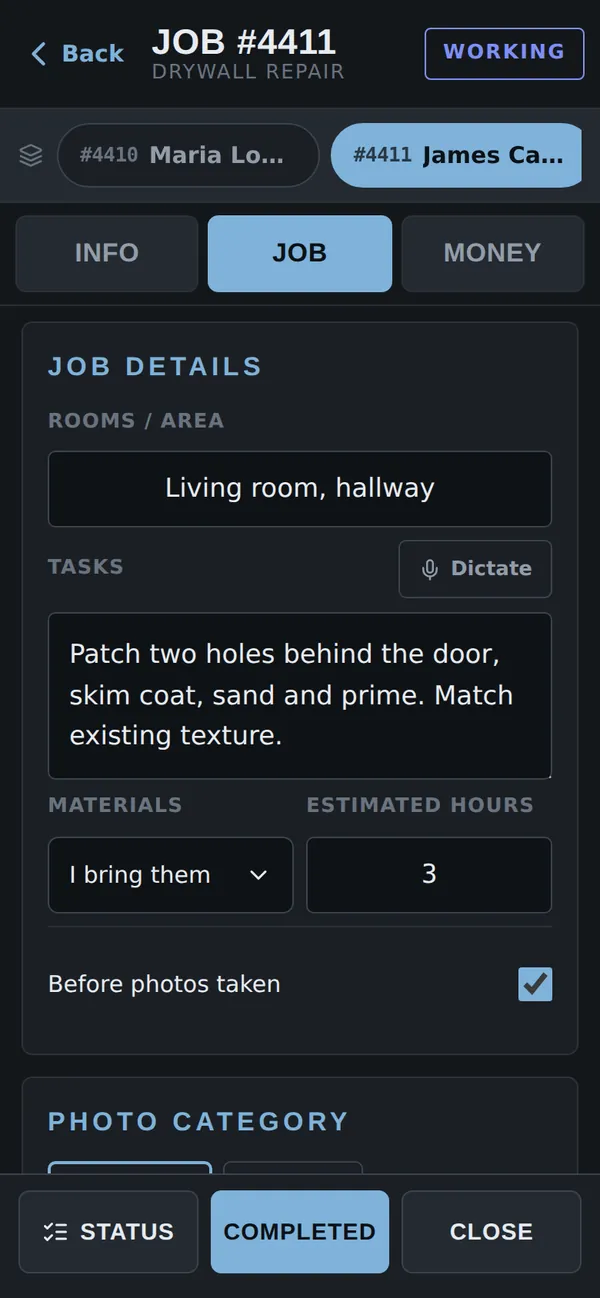
- TV mounts, drywall, fixtures, doors, fences — small jobs and punch lists
- Your own job card fields: rooms, tasks, materials, estimated hours
- Any other hands-on trade can be set up the same way
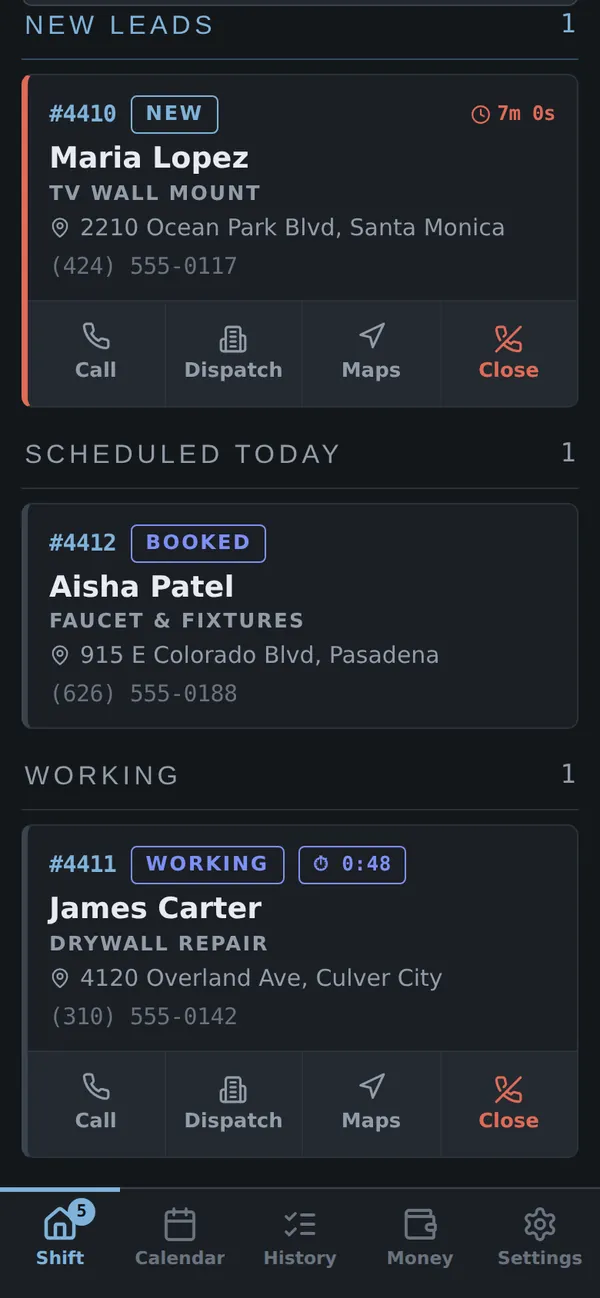
From a dispatcher’s text to a job in seconds
Paste the lead and OnFields does the typing: the customer, the address and the kind of job are on the card before you finish your coffee.
- Name, phone, address and job type pulled out of the message
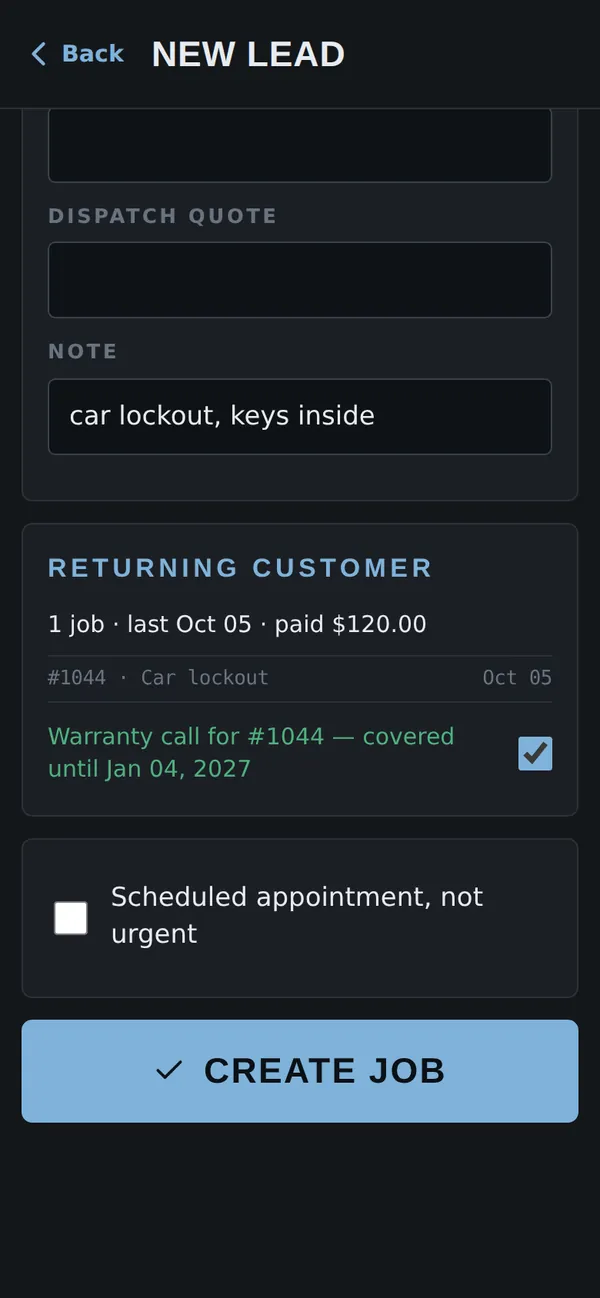
- Returning customers recognized by their phone number — with their history
- Warranty calls linked to the original job
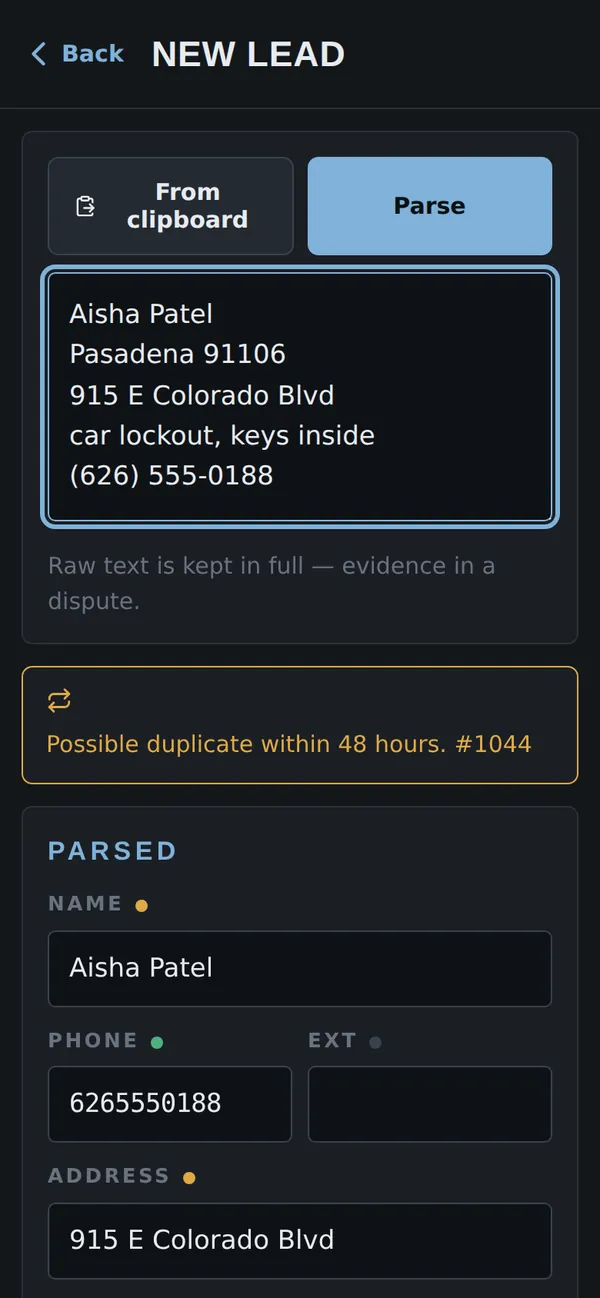
Your whole day on one screen
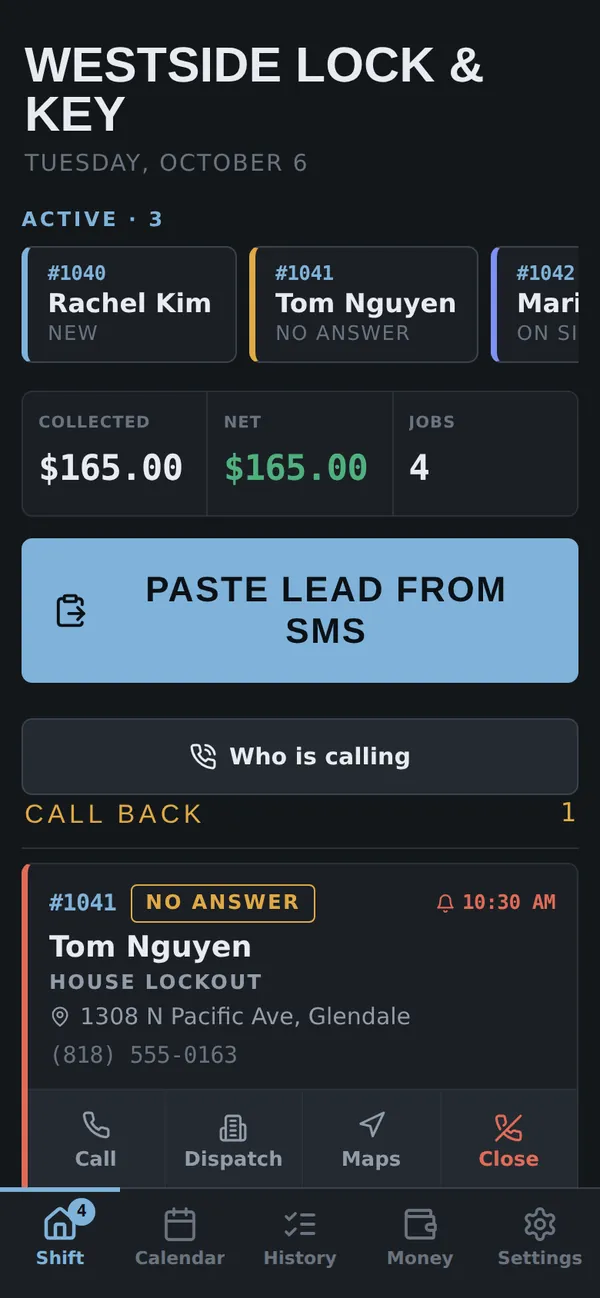
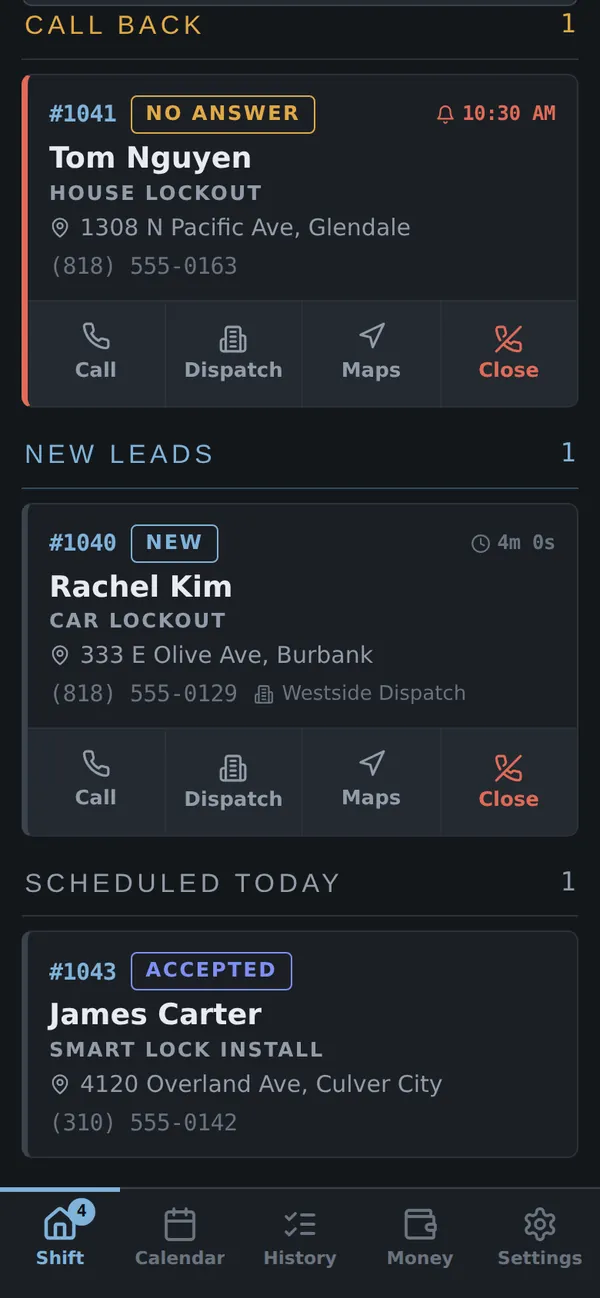
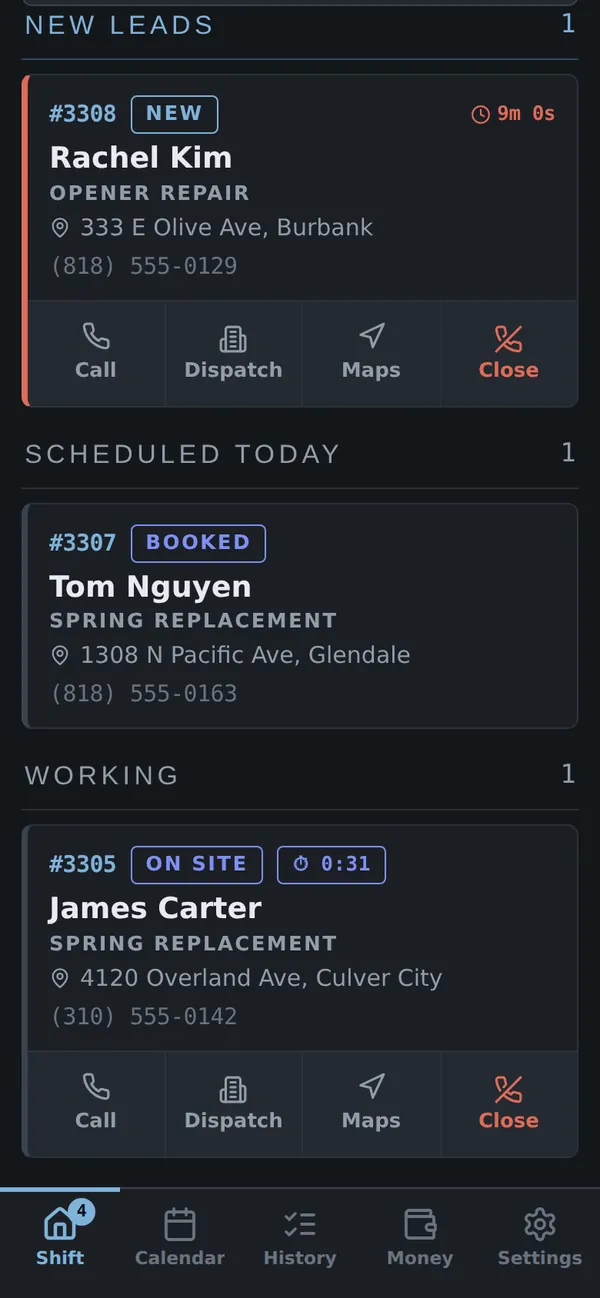
Everything that needs you is grouped by what it needs: answer, call back, finish, or wait.
- New leads with a response timer
- Call-backs the moment they come due
- Who’s on site — and for how long
- Orders waiting on a supplier, with arrival dates
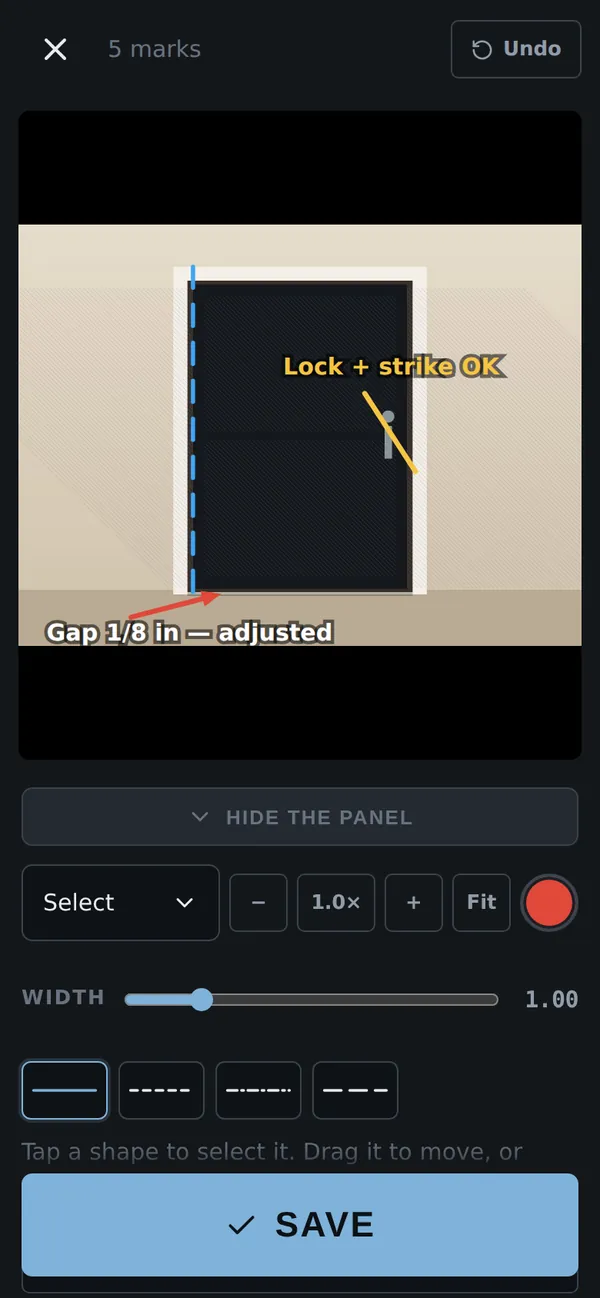
Photos that explain themselves
Mark up any photo right on the job: show the gap you fixed, circle the damage that was already there.
- Arrows, circles, lines and text — pinch to zoom in
- Before and after, sorted by category
- Photos attached to the exact door or window
A report the customer signs on the spot
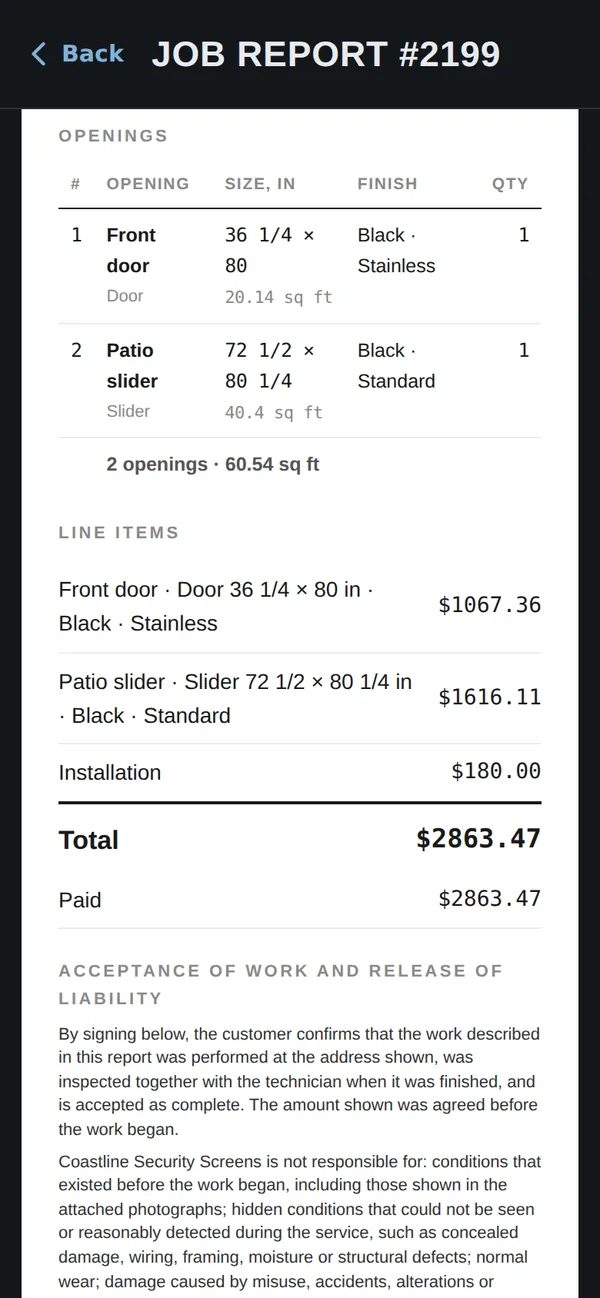
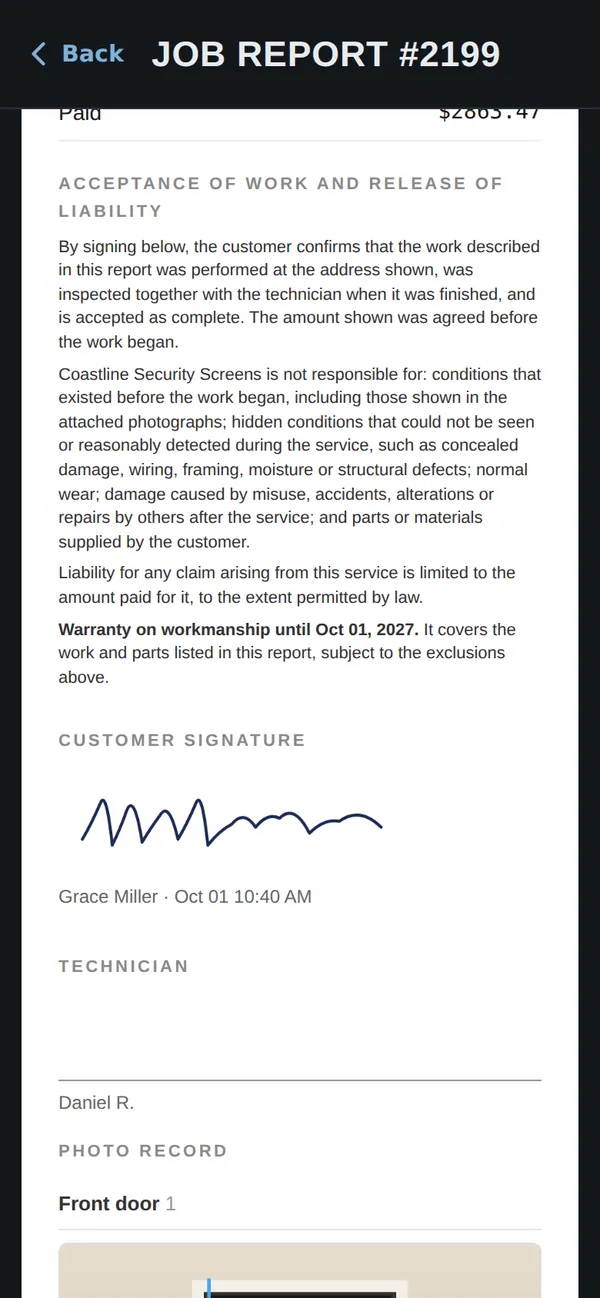
When the work is done, the customer signs on your phone and gets a clean PDF: what was done, what it cost, and the photos.
- Work performed, line items and totals
- Acceptance of work and release of liability
- Photos as an appendix after the signatures
Know what you really make
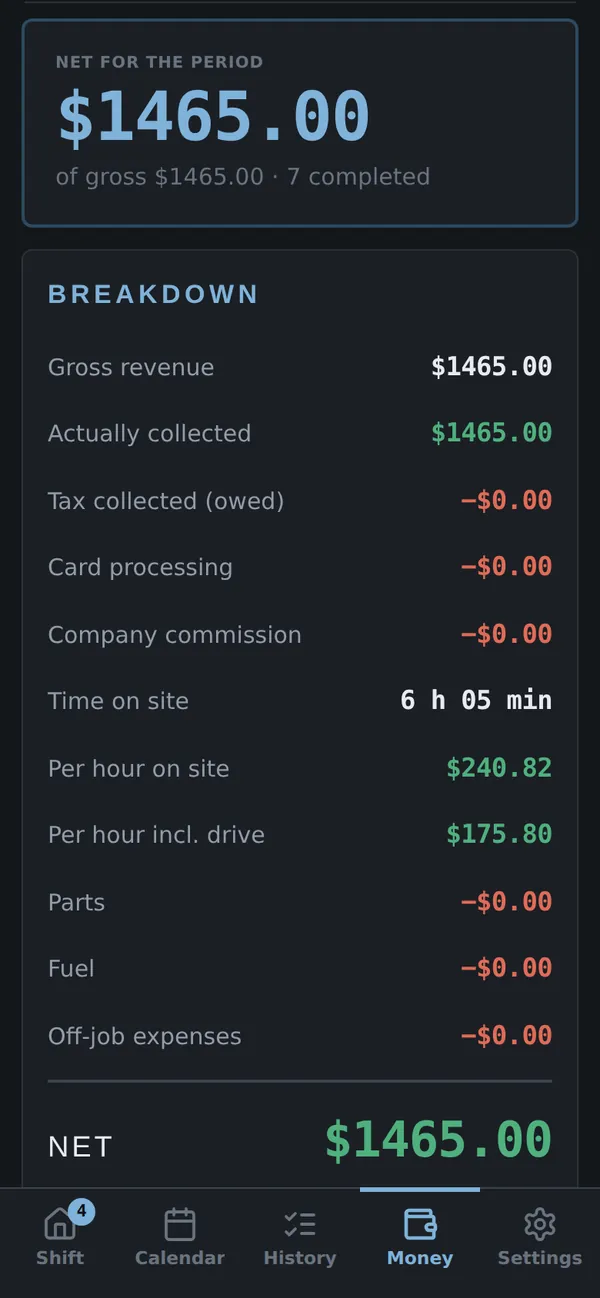
Not just what came in — what’s left for you, and what your hour on site is actually worth.
- Net for today, the week, the month or any dates
- Time on site and pay per hour, with and without the drive
- Dispatcher commission, card fees and parts counted in
On my way, in one tap
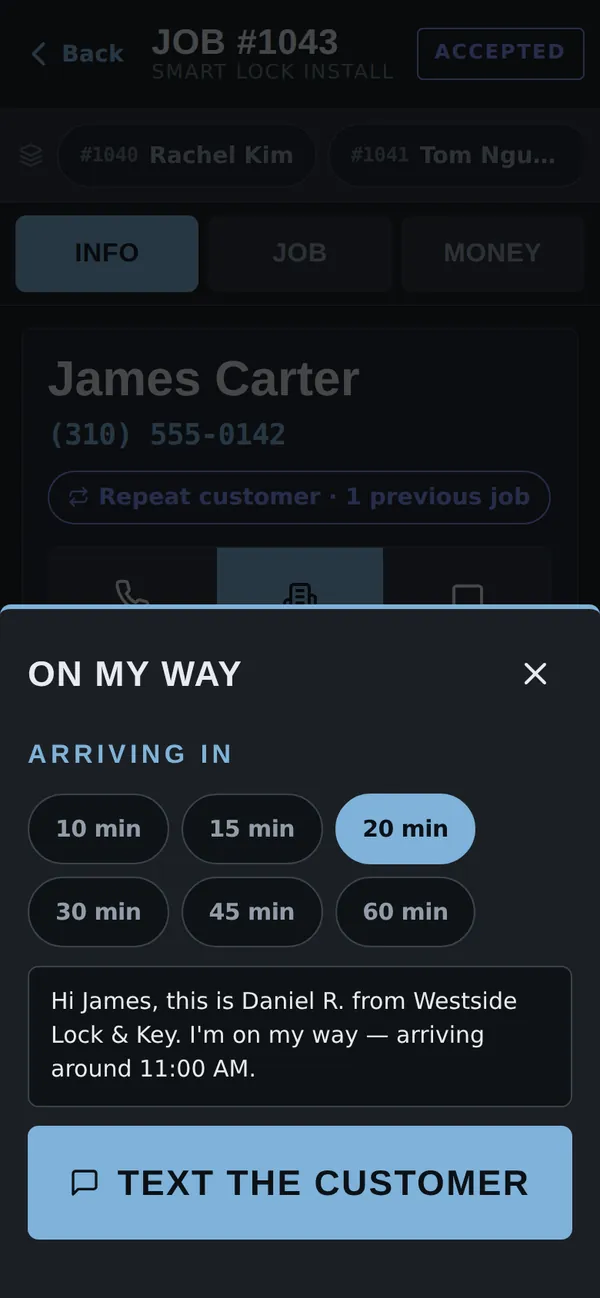
Text the customer when you leave, with a real arrival time. Parts come off the van by themselves.
- “On my way” text with an arrival time
- Appointments straight into your phone’s calendar
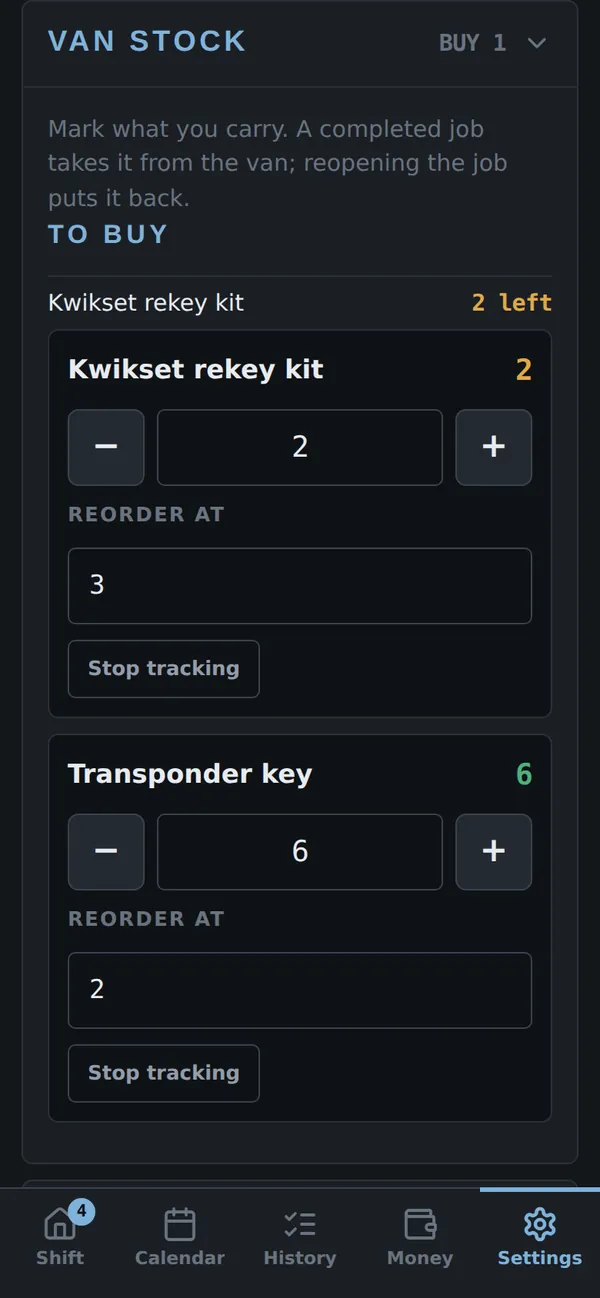
- Van stock that updates as jobs are completed — with a to-buy list
Three steps to your first job
Request access
Tell us about your business in the form below. We’ll reply with a key for you and your techs.
Your trade comes with the key
Statuses, rules, catalogue and job card fields for your trade load when you activate. Change anything later.
Install and go
Open the link on your phone and add it to the home screen — iPhone or Android, no app store.
Frequently asked questions
Does it work on iPhone and Android?
Yes. OnFields installs straight from the browser and sits on your home screen like any other app — no app store needed.
Which trades does it support?
Locksmith, security screens, garage doors and handyman work come ready to go. Any other hands-on trade can be set up with its own statuses, catalogue and job card fields.
Can my techs use it too?
Yes. Every tech gets their own key on their own phone, and access levels let the owner decide who can change prices, templates and settings.
Will reports carry my business name?
Yes — receipts and job reports show your business name, phone and license number.
Do I need a strong signal on site?
Your jobs, photos and money are kept on your phone, so there’s nothing to load from a server between calls.
What does it cost?
Tell us about your business in the form below and we’ll reply with the options.
You’ve seen what OnFields can do. Want it on your phone?
Tell us a little about your business and we’ll get back to you with a key and the next steps.